

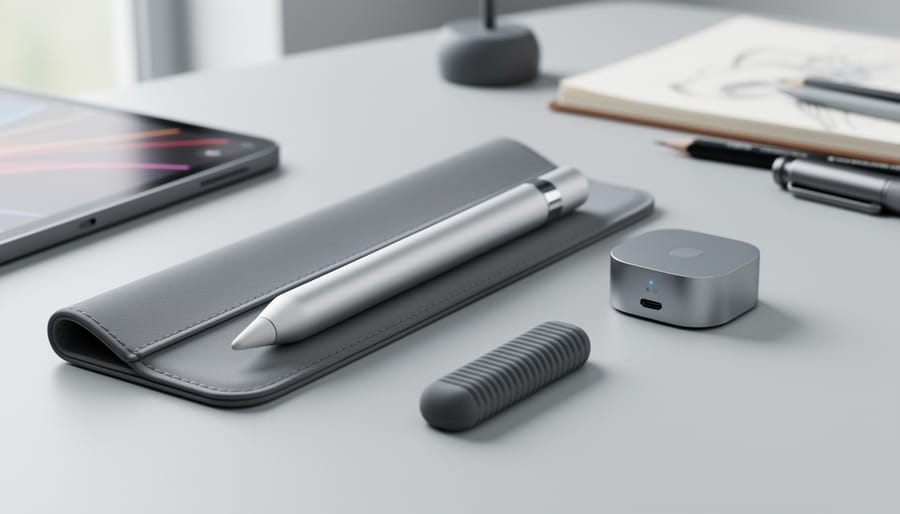
You just spent $129 on the Apple Pencil Pro, and now you need the right accessories to protect it, keep it charged, and make it work better for drawing, note-taking, or design work. The good news: a handful of smart additions can prevent loss, extend battery life, and improve grip comfort without breaking the bank.
The Apple Pencil Pro works exclusively with iPad Pro 13-inch and 11-inch models running M4 or M5 chips (with iPadOS 17.5 or later), so any accessory you buy needs to accommodate its unique features like squeeze gestures, barrel roll, and magnetic charging. That means not every generic stylus grip or case will work.
Most users need three core accessories: a protective sleeve or case to prevent scratches and dings, a textured grip to reduce hand fatigue during long sessions, and a reliable way to avoid losing the Pencil when it’s not magnetically attached to your iPad. Beyond that, your specific use case matters. Artists benefit from different tips that change the drawing feel, while students and professionals often prioritize organization solutions that keep the Pencil accessible in bags or on desks.
This guide breaks down each accessory category, explains what features actually matter (and which are marketing fluff), and gives you straightforward recommendations based on how you use your Apple Pencil Pro. We’ll also cover the compatibility mistakes that waste money and the small upgrades that make a real difference in daily use.
What Makes Apple Pencil Pro Accessories Essential
At $129, the Apple Pencil Pro represents a significant investment in your iPad Pro creative workflow. That price tag alone makes protecting it from drops, scratches, and everyday wear essential. But beyond simple protection, the right accessories address real usability challenges that emerge during actual use.
The Apple Pencil Pro’s sleek cylindrical design looks elegant, but it can feel slippery during multi-hour drawing sessions or note-taking marathons. Your hand fatigues faster without proper grip support, and the smooth surface offers little friction when you’re deep in concentration. Grip enhancers and comfort sleeves solve this by adding texture and ergonomic shaping exactly where your fingers rest.
Organization matters more than most users initially realize. The Apple Pencil Pro attaches magnetically to your iPad Pro for pairing and charging, which works brilliantly at your desk. But toss both into a bag for travel, and that pencil becomes loose cargo, rolling around and potentially separating from your device. Cases and sleeves that accommodate both items together maintain that magnetic connection while keeping everything secure and accessible.
The attach/pair/charge functionality itself benefits from thoughtful accessory choices. Stands and docks position your iPad Pro to keep the Apple Pencil charged and within reach, while protective solutions need to preserve, not block, that magnetic attachment strip. Smart accessories work with these features rather than against them.
Types of Apple Pencil Pro Accessories Compared
Protective Cases and Sleeves
Protective cases and sleeves serve as your first line of defense for a $129 investment, especially when you’re tossing your iPad Pro into a bag or backpack between classes or meetings.
Hard cases offer the most robust protection. These rigid shells, typically made from polycarbonate or reinforced plastic, absorb impact from drops and prevent crushing during transport. Look for models with molded compartments that secure both your iPad Pro and Apple Pencil Pro without blocking the magnetic charging strip along the tablet’s edge. The trade-off: they add bulk and weight to your setup.
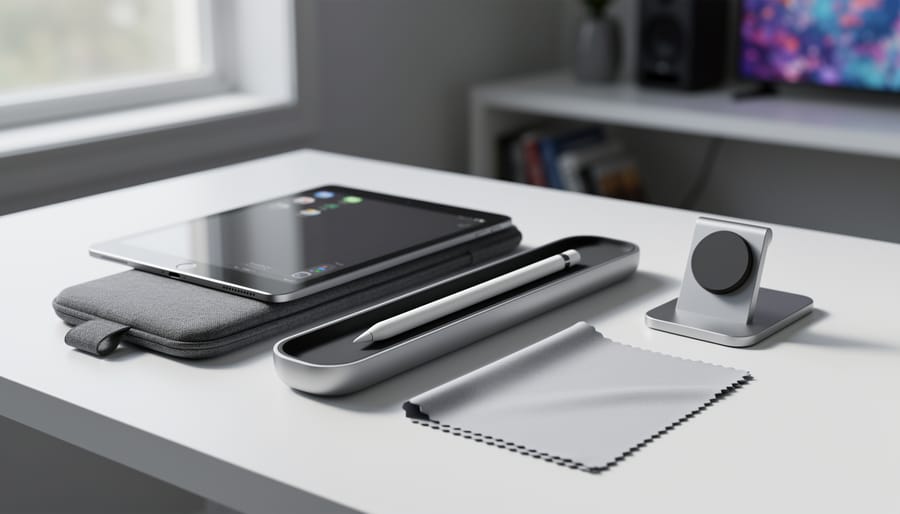
Soft sleeves take a lighter approach. Neoprene or padded fabric sleeves slip over your iPad Pro and often include a dedicated elastic loop or pocket for the Apple Pencil Pro. They’re ideal for slipping into a larger bag where you need scratch protection more than drop defense. The best versions use microfiber interiors to prevent screen scratches and feature snug fits that keep the pencil from rattling around.
Combination cases blend portability with functionality. These designs incorporate both iPad Pro protection and a secure Apple Pencil Pro holder, sometimes with a magnetic flap or zippered pocket. Portfolio-style options even add document storage, though they can interfere with quick pencil access if you grab it frequently throughout the day. Check that any case maintains clear access to the magnetic charging position before buying.
Grips and Comfort Enhancers
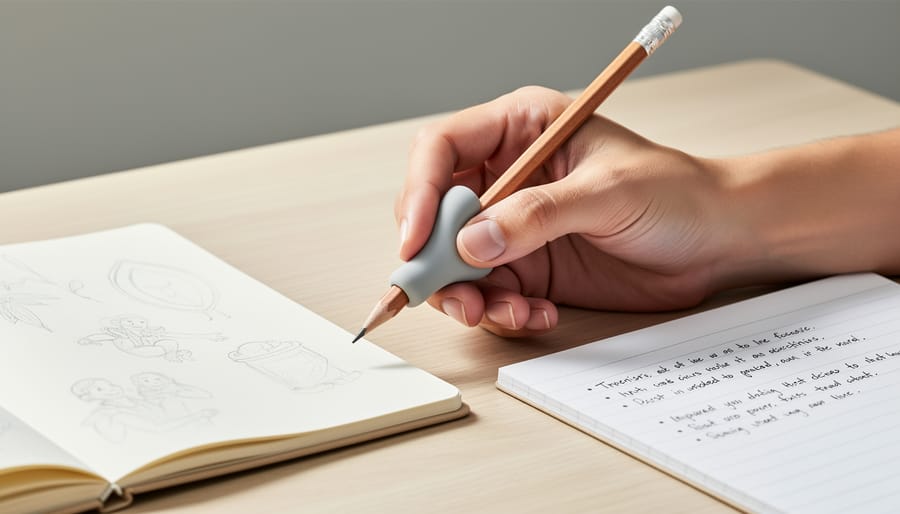
Grips and comfort enhancers address a practical problem: the Apple Pencil Pro’s slim, smooth barrel can feel slippery during long creative sessions, and its uniform diameter doesn’t suit every hand size. Silicone grips slip over the pencil to add texture and a slight increase in diameter, giving your fingers more purchase and reducing the need to grip tightly. These usually come in sets with multiple thickness options, so you can find what feels natural for your hand. Textured sleeves serve a similar purpose but often cover more of the barrel, providing consistent grip along the entire length rather than just where your fingers rest.
Ergonomic holders take a different approach, adding contoured shapes that guide your fingers into a more natural writing position. These work especially well for people who tend to develop hand fatigue during extended note-taking or detailed illustration work. The critical compatibility consideration here is the magnetic charging feature, any grip or sleeve you add must leave the flat side of the Apple Pencil Pro exposed so it can still attach and charge magnetically on your iPad Pro. Most grips designed specifically for the Pro account for this, but it’s worth checking product details before buying.
Stands and Charging Docks
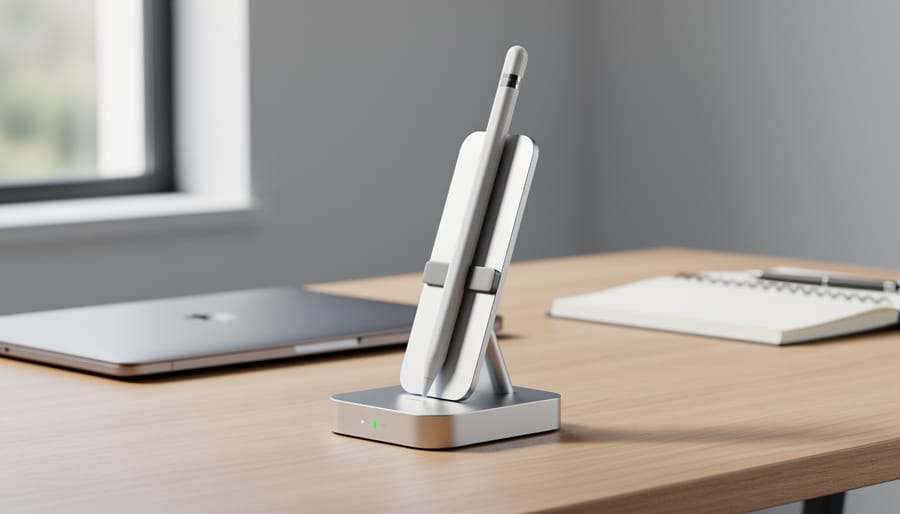
The Apple Pencil Pro charges magnetically when attached to your iPad Pro’s edge, which means traditional charging docks serve a different purpose than with other styluses. Dedicated stands position your iPad at an optimal angle for drawing or note-taking while keeping the Pencil magnetically attached and charging. Look for stands with sturdy bases that won’t tip during intense drawing sessions, and ensure they accommodate the magnetic attachment without blocking it.
Multi-device charging stations work well if you manage multiple Apple devices, iPhone, AirPods, Apple Watch, alongside your iPad Pro setup. These consolidate your charging area into one spot on your desk or nightstand. The key is choosing stations that support the iPad Pro’s size and weight while maintaining clear access to the magnetic strip where the Pencil attaches. Some stations include grooves or clips that hold the Pencil separately when you’re not using your iPad, though this means you’ll need to reattach it for charging.
Business professionals and digital artists benefit most from quality stands that reduce desk clutter and keep everything within reach. Students might find simple angled stands sufficient, saving money for other accessories while still improving their workflow during study sessions.
Replacement Tips and Nibs
Unlike earlier Apple Pencil models, the Apple Pencil Pro doesn’t support interchangeable third-party tips that fundamentally alter the drawing experience. Apple designed the Pro’s tip as an integrated component that works with the device’s advanced pressure sensitivity and tilt detection. That said, the standard tip will wear down over time with regular use, especially if you’re drawing or writing for several hours daily on the glass surface of your iPad Pro.
Most users won’t need to think about tip replacement for months or even years of casual use. Digital artists who apply heavy pressure or work long sessions may notice the tip becoming smoother or slightly flattened after six to twelve months. When this happens, the writing feel changes subtly, becoming less precise or requiring more pressure to register strokes. Apple sells replacement tips, though they’re not heavily marketed as a standalone accessory.
Some third-party manufacturers offer alternative tip designs that claim to add texture or cushioning, but compatibility with the Apple Pencil Pro’s hover and squeeze features isn’t guaranteed. Before buying any replacement tip, verify it’s explicitly designed for the Pro model and won’t interfere with the magnetic charging connection to your iPad Pro M4 or M5. If your tip feels worn or your strokes seem less responsive, swapping it out takes seconds and can restore the original drawing precision you experienced at the $129 price point.
Key Factors to Consider When Buying Apple Pencil Pro Accessories
Compatibility with iPad Pro Models
The Apple Pencil Pro works exclusively with the iPad Pro 13-inch (M4 and M5) and iPad Pro 11-inch (M4 and M5) models running iPadOS 17.5 or later. Any accessory you choose must respect this specific ecosystem. A case that blocks the magnetic strip on your iPad Pro’s edge will prevent the Apple Pencil Pro from pairing and charging, rendering the $129 stylus useless when you need it most.
Before buying, verify that protective cases include precise cutouts for the magnetic attachment zone. Grips and sleeves should be thin enough that the Apple Pencil Pro still snaps securely to your iPad Pro without sliding or losing connection. Some bulky silicone grips add enough thickness to disrupt this magnetic bond, forcing you to remove the grip every time you charge.
Check product descriptions for explicit Apple Pencil Pro compatibility rather than generic “Apple Pencil” mentions, since accessories designed for earlier Apple Pencil models may not accommodate the Pro’s unique dimensions and features. When you find deals online, read recent reviews from users with M4 or M5 iPad Pro models to confirm real-world compatibility. Consider using a VPN to secure purchases from unfamiliar retailers while shopping for accessories.
Material Quality and Durability
Material quality directly impacts how well an accessory protects your $129 Apple Pencil Pro and whether it enhances or hinders your workflow. Silicone grips offer excellent shock absorption and comfortable texture, though they can attract dust and lose elasticity over time with daily use. Premium leather sleeves provide a professional appearance and develop a natural patina, but they offer minimal impact protection and require proper care to prevent cracking. Hard plastic cases deliver the strongest drop protection and maintain their shape indefinitely, yet they add bulk and can feel slippery during extended drawing sessions.
Aluminum stands and charging docks combine durability with heat dissipation for safe charging through your iPad Pro’s magnetic connection, but they’re the least portable option. The material you choose affects tactile feedback too: thicker grips reduce precision for detailed illustration work, while ultra-thin cases preserve the Apple Pencil Pro’s original feel but sacrifice protection. Consider where you’ll use your accessories most, a rugged silicone grip suits fieldwork, whereas a leather sleeve fits better in a corporate environment. Quality materials should maintain their protective properties and won’t interfere with the attach, pair, and charge functionality that makes the Apple Pencil Pro convenient.
Impact on Daily Workflow
Before adding any accessory to your Apple Pencil Pro setup, honestly evaluate how it fits into your actual daily routine. An accessory that looks useful but requires extra steps each time you want to draw or take notes will likely end up abandoned in a drawer.
Consider how quickly you need to access your Apple Pencil Pro throughout the day. If you’re constantly switching between typing and sketching, a case that requires you to unzip, remove, and then reattach the pencil to your iPad Pro will slow you down. Artists who work in long, uninterrupted sessions can tolerate more elaborate storage solutions, while students jumping between classes need instant access.
Portability matters differently depending on your situation. A bulky protective case makes sense if you’re carrying your iPad Pro in a backpack between locations, but it’s dead weight if your setup lives permanently on a desk. Think about whether you’re packing up daily or working from one spot.
Setup time adds friction you might not anticipate. Grips that slide on and off easily work better for users who switch between bare-pencil precision and cushioned comfort. Charging docks that require specific positioning can become annoying if you’re used to the magnetic snap that just works on the iPad Pro’s edge.
The best accessory disappears into your workflow rather than reshaping it.
Our Top Recommendations for Different Use Cases
For Digital Artists and Illustrators
For digital artists working extended sessions in Procreate or Affinity Designer, an ergonomic grip transforms the Apple Pencil Pro from a precision tool into a comfortable extension of your hand. Silicone sleeves with textured surfaces reduce hand fatigue during four-hour drawing marathons while maintaining full compatibility with the magnetic charging strip, critical since interrupting your workflow for battery issues defeats the purpose of premium accessories.
Alternative tips matter more than most realize. While the Apple Pencil Pro’s standard tip works well for general illustration, artists switching between sketching and detailed linework benefit from textured nibs that provide paper-like friction or softer tips that cushion pressure-sensitive strokes. Test a variety pack before committing to replacements.
Portable protection requires thinking about both devices together. A fitted case that secures your iPad Pro (M4 or M5) and Apple Pencil Pro in dedicated compartments prevents the scratches and dings that accumulate during studio-to-coffee-shop transitions. Look for rigid shells with soft interiors rather than generic sleeves, your $129 stylus deserves the same protection as your tablet, especially after first-time setup when everything feels most vulnerable to accidental drops.
For Students and Note-Takers
Students need accessories that work with a demanding schedule: lecture capture, library study sessions, and constant movement between classes. The $129 Apple Pencil Pro represents a significant investment on a student budget, making smart accessory choices even more important.
Prioritize slim, lightweight cases that slide easily into backpacks without adding bulk. A simple silicone sleeve protects against scratches and minor drops while maintaining the magnetic charging connection to your iPad Pro. These typically cost between $10 and $20, delivering solid protection without the premium price tag of hard-shell cases.
For grip comfort during long note-taking sessions, consider a basic silicone grip sleeve. These add texture without significant diameter, keeping the Apple Pencil Pro comfortable during hour-long lectures while preserving the magnetic attach functionality. Skip expensive ergonomic grips unless you’re taking notes for several hours daily.
A basic stand proves useful for dorm desk setups, keeping your Apple Pencil Pro visible and charged between classes. Look for simple designs that hold your iPad Pro at a comfortable viewing angle while maintaining the magnetic connection. Avoid multi-device charging stations unless you already own several Apple devices, as they rarely justify the cost for students managing a single iPad Pro and Apple Pencil Pro setup.
Focus your budget on protection first, comfort second, and convenience features only if money remains after covering the essentials.
For Business Professionals
For professionals who rely on their iPad Pro for client meetings, presentations, and executive note-taking, accessories should project polish while delivering practical protection. Prioritize slim leather or premium fabric cases that protect both your iPad Pro (M4 or M5) and the $129 Apple Pencil Pro during transport between meetings without adding bulk to your briefcase. Look for designs with secure magnetic closures and dedicated Apple Pencil Pro compartments that maintain the magnetic charging connection.
Minimalist aluminum or wood stands work well on conference room tables and executive desks, keeping your Apple Pencil Pro accessible during video calls and collaborative sessions without cluttering your workspace. Choose stands with weighted bases or non-slip surfaces that won’t tip during use. Since the Apple Pencil Pro attaches, pairs, and charges magnetically on your iPad Pro, avoid accessories that block this functionality or require you to remove protective elements before each use.
Consider accessories that complement your existing tech ecosystem: charging docks that accommodate multiple devices, cases with space for business cards or small notepads, and subtle color schemes (black, gray, tan, navy) that match professional environments. The goal is seamless integration, accessories that enhance your workflow without requiring explanation to clients or colleagues.
Common Mistakes to Avoid When Choosing Accessories
Buying accessories for your Apple Pencil Pro should be straightforward, but a few common missteps can waste money and create frustration. Understanding these pitfalls helps you make smarter choices from the start.
The biggest mistake is assuming all Apple Pencil accessories are interchangeable. The Apple Pencil Pro only works with iPad Pro 13-inch (M4 and M5) and iPad Pro 11-inch (M4 and M5) models running iPadOS 17.5 or later, and accessories designed for the first or second-generation Apple Pencil often don’t fit properly or interfere with the Pro’s magnetic charging and pairing system.
Another frequent error is over-accessorizing. You don’t need every type of accessory, adding a bulky grip and a thick case can actually make the Pencil awkward to use and difficult to store in its magnetic charging position. Choose accessories that solve specific problems you’ve actually encountered, not ones that promise vague “improvements.”
Many buyers also ignore how accessories affect their daily routine. A case that requires three steps to remove the Pencil might seem protective in theory, but if you’re constantly sketching or taking notes, you’ll abandon it within a week. Similarly, standalone charging docks make little sense if your workflow already integrates seamlessly into a smart home workflow where your iPad Pro lives on your desk.
Finally, don’t assume official Apple accessories are automatically the best choice. While they guarantee compatibility, third-party options often provide better ergonomics or protection at lower prices. Focus on verified compatibility with your specific iPad Pro model rather than brand loyalty.
Frequently Asked Questions
Will third-party accessories interfere with my Apple Pencil Pro’s magnetic charging?
Most well-designed grips and sleeves are thin enough to maintain the magnetic connection to your iPad Pro, but bulky cases or thick silicone wraps can prevent proper attachment and charging. Always check product specifications for charging compatibility before buying.
Do I need to buy Apple’s official accessories, or are third-party options safe?
Third-party accessories work fine as long as they’re specifically designed for the Apple Pencil Pro and don’t block the magnetic attach point. Apple’s official accessories guarantee compatibility but cost more, while reputable third-party brands offer similar protection at lower prices.
How do I verify an accessory is compatible with my iPad Pro model?
The Apple Pencil Pro only works with iPad Pro 13-inch (M4 and M5) and iPad Pro 11-inch (M4 and M5) running iPadOS 17.5 or later, so confirm the accessory listing explicitly mentions these models. Generic “iPad Pro” compatibility claims aren’t specific enough.
What’s the best way to clean my Apple Pencil Pro and its accessories?
Wipe the pencil and silicone grips with a slightly damp, lint-free cloth, avoid getting moisture in any openings. For hard cases, mild soap and water work well, but let everything dry completely before reassembling.
Will using third-party accessories void my Apple Pencil Pro warranty?
No, using third-party accessories won’t void your warranty unless the accessory itself causes damage to the device. Keep your purchase receipt and remove any accessories before bringing the pencil in for service.
How much should I expect to spend on essential accessories?
A basic protection setup, slim case and simple grip, typically runs $15-30, while premium combinations with charging stands and ergonomic holders can reach $50-80. Given the Apple Pencil Pro’s $129 price point, spending 15-25% of that on protection makes sense for most users.
Beyond these common questions, remember that your accessory needs depend entirely on how you use your Apple Pencil Pro. Digital artists logging six-hour drawing sessions have different priorities than students taking quick class notes, so the “right” accessory setup varies widely. Don’t let marketing hype push you toward expensive solutions when simpler options serve your actual workflow better. The same logic applies to protecting your digital workspace: just as you wouldn’t overspend on a fancy case you never use, investing in online privacy tools should match your actual security needs rather than checking every available feature. Start with one or two accessories that address your biggest pain points, test them in your daily routine, and add more only if gaps remain.
Choosing the right accessories for your Apple Pencil Pro comes down to understanding how you actually use your iPad Pro. There’s no universal “best” setup, what works for a digital illustrator spending hours in Procreate won’t match what a business professional needs for quick meeting notes. Focus on solving your specific pain points first, whether that’s better grip during long sessions, protection during your commute, or keeping your workspace organized.
Compatibility is non-negotiable. Your accessories must work seamlessly with the iPad Pro 13-inch or 11-inch M4 and M5 models, and they shouldn’t interfere with the magnetic attach, pair, and charge functionality that makes the Apple Pencil Pro such a well-integrated tool. An accessory that blocks these features defeats the purpose, no matter how protective or stylish it looks.
Smart accessory choices enhance what’s already an impressive creative tool. You’ve invested $129 in the Apple Pencil Pro, protect that investment with accessories that genuinely improve your workflow rather than just looking good on a shelf. Start with one or two essentials based on your primary use case, then add more as you discover what actually makes your daily work easier. Your specific needs matter more than any trendy feature list.
